This topic has 26 replies, 3 voices, and was last updated 9 years, 8 months ago by 
Tagged: Removed logins
Viewing 27 posts - 1 through 27 (of 27 total)
If you can provide us WP Logins to your website with URL then we can take a closer look at it. Make sure you set the post as private reply so that only admin can see your wp-logins.
Note: Before providing the wp-logins to any support staff, kindly please make sure you take a backup of everything including wordpress content, theme options, widgets etc.
I have created a “Test” Page and checked http://www.veloconcepts.com/test/, it is working fine. Please see the test page how I created, you’ll come to know. You have to select the start and end dates for the upcoming holidays not for the past holidays.
In your Holidays Section, you haven’t created any holiday with the name “Test” but you have created a holiday with the name “Christmas”. Now you have to add the holidays shortcode in any of your pages like this [iva_bhrs_holidays id="Christmas"] then it will display the holidays.
Look at the page I have created with the name Test t hen you will understand.
You are not looking in the correct spot. Its not working in the Location & Hours pages.
See here.
Here is the code from the contact section (Brooklyn -> Theme Options -> Contact -> Left Area Content)
Location & Hours

<iframe style="border: 0;" src="https://www.google.com/maps/embed?pb=!1m18!1m12!1m3!1d3124.915517911278!2d-78.00386969999998!3d38.44342030000001!2m3!1f0!2f0!3f0!3m2!1i1024!2i768!4f13.1!3m3!1m2!1s0x89b4214f5d397761%3A0x5481ac5ba486c79c!2s19014+Crossroad+Pkwy%2C+Culpeper%2C+VA+22701!5e0!3m2!1sen!2sus!4v1427765607881" width="400" height="250" frameborder="0"></iframe>

<strong>Store Hours</strong>

[iva_bhrs name="storehoursenew"]

[iva_bhrs_holidays id="Christmas"]Yes, Holiday shortcode is for listing holidays not the hours on that holiday. But if you want to link the holidays to the hours you created then you need to assign that to the specific hours in the holiday section. It will display the time with Holiday text below the time indicating the hours as well that today is Christmas or whatsoever text you have given for that holiday.
If you want I can explain more in depth if you are on Skype.
Fem.
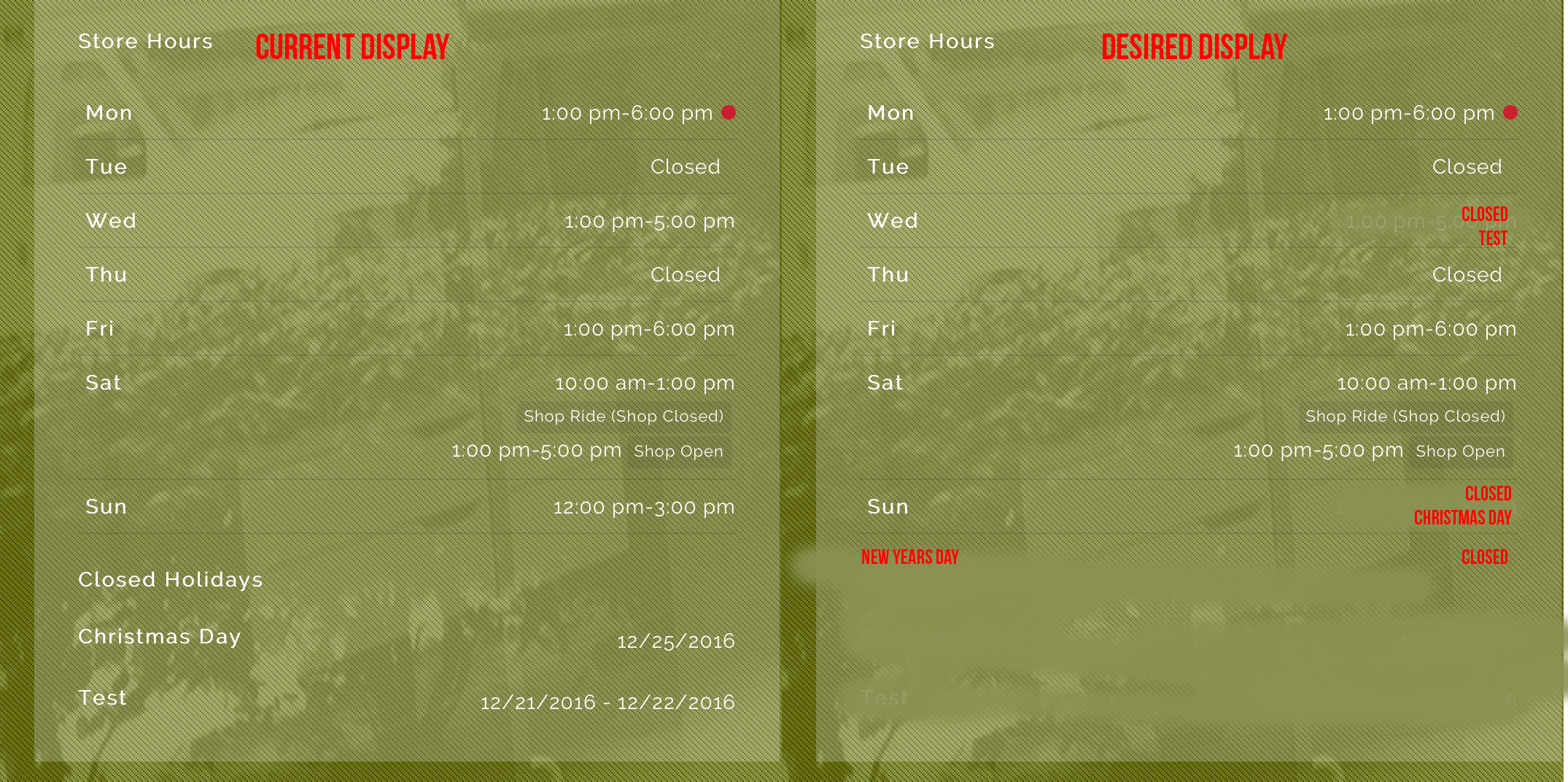
Yes I contacted some one via Skype and they confirmed that its not working properly. Specifically the holiday hours are not rendering in the proper location on the page. Supposedly a fix is in the works.
Additionally a change is being made to properly handle and display Holiday hours, so if we are closed on a Holiday that is reflected in the store hours.
Viewing 27 posts - 1 through 27 (of 27 total)
You must be logged in to reply to this topic.